Steady 2.6: Watch app and more
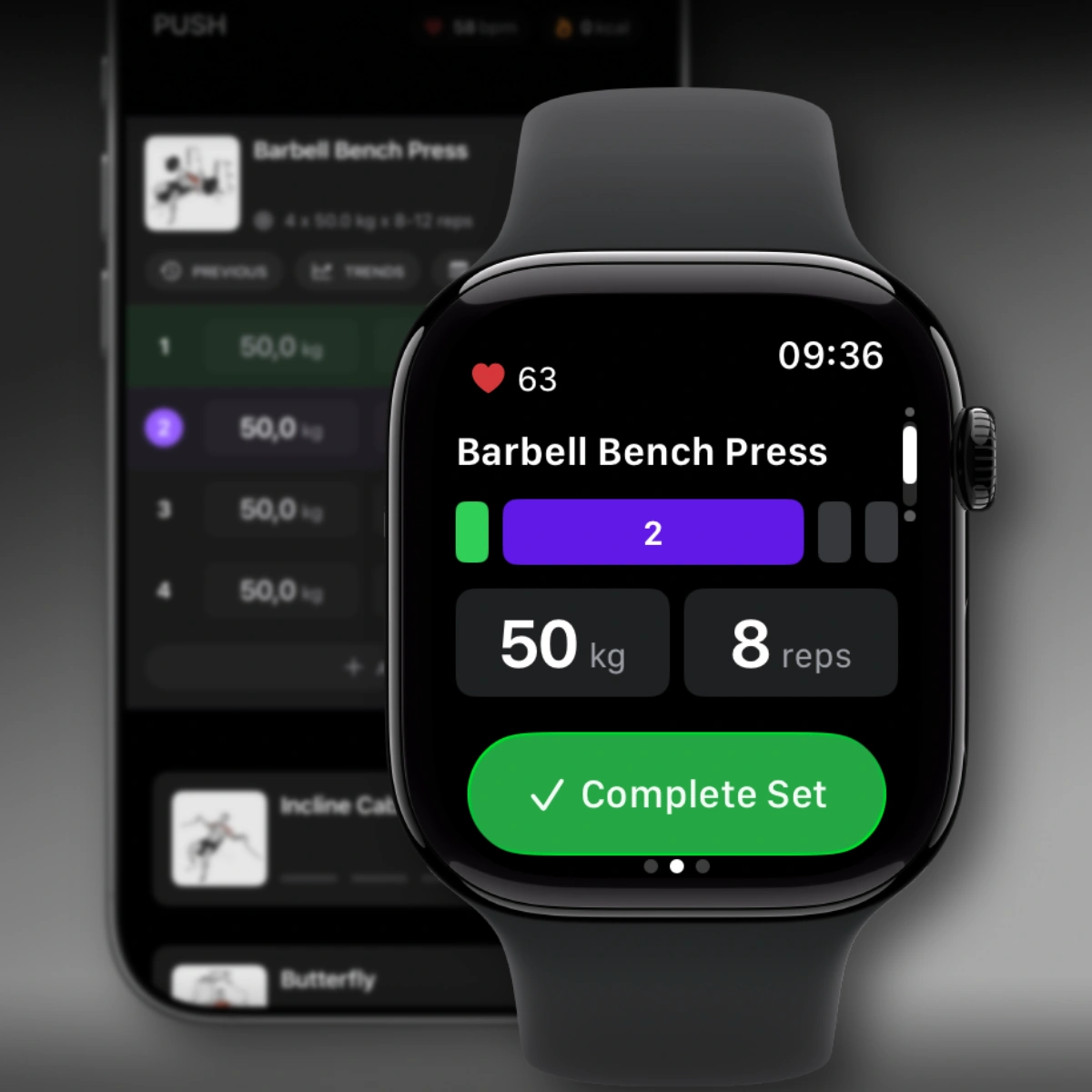
Steady 2.6 is here — and your wrist is now part of the setup.
This one took a while to get right. A Watch app sounds simple, but making it feel like a natural extension of your workout — not a toy bolted on the side — required a lot of back-and-forth. I’m happy with where it landed. And this is just the beginning: the Watch app is the foundation, and it’ll keep improving every release, the same way Steady on iPhone has been growing for the past year. There’s also more in this update than just the Watch.
✨ New Features
Apple Watch App
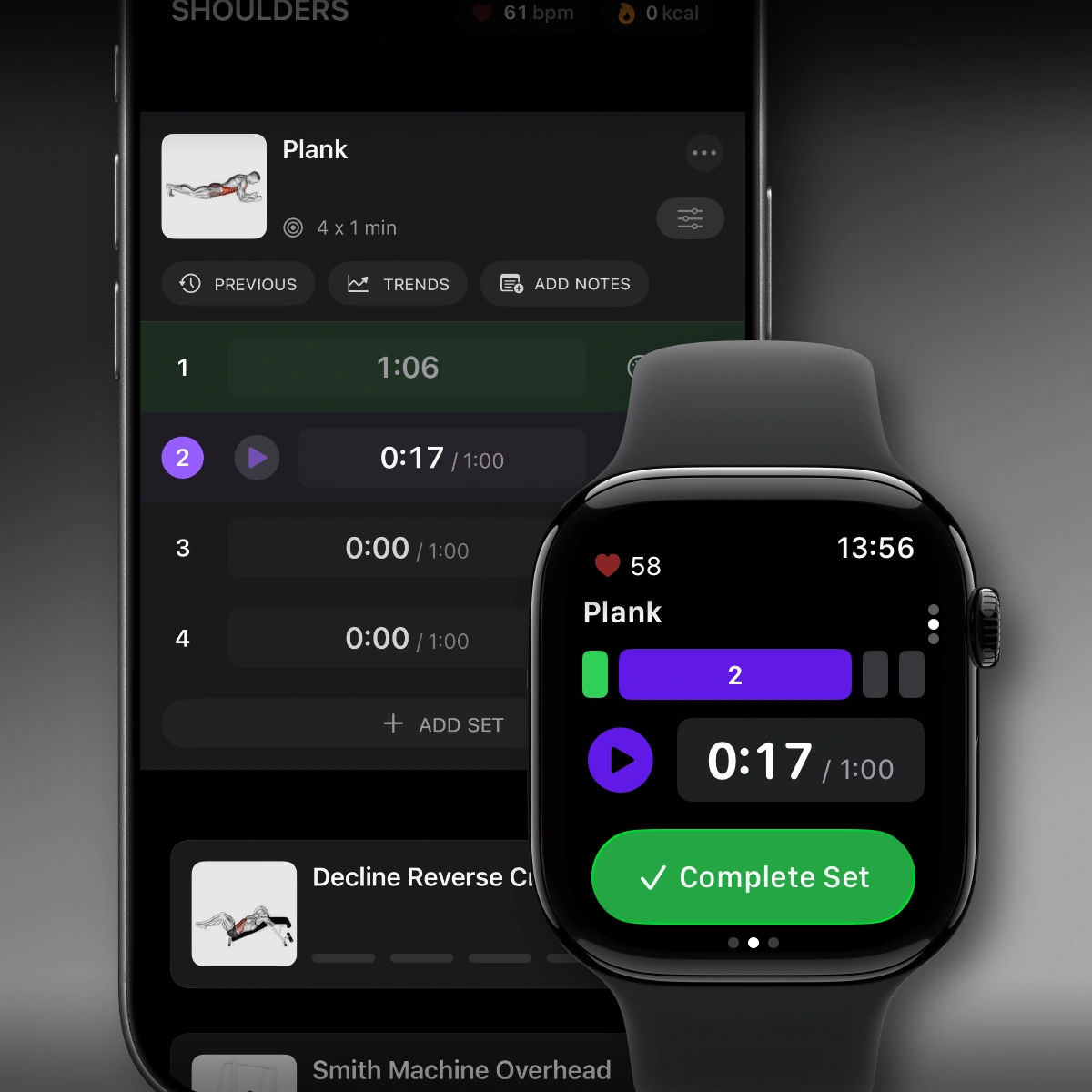
Steady now has a native companion app for Apple Watch. Once your workout starts on iPhone, your watch becomes a second screen you can actually rely on — log sets, complete reps, and stay on top of your progress without fishing your phone out of your pocket between every exercise.
If you’ve ever done a superset with both hands occupied, or trained somewhere with nowhere obvious to put your phone, you’ll immediately get why this matters. Your wrist is always right there.
Heart Rate and Calories Burned
Using Apple Watch’s sensors, Steady now shows your heart rate and estimated calories burned directly on iPhone during workouts — no switching to the Health app, no parallel session running somewhere else.
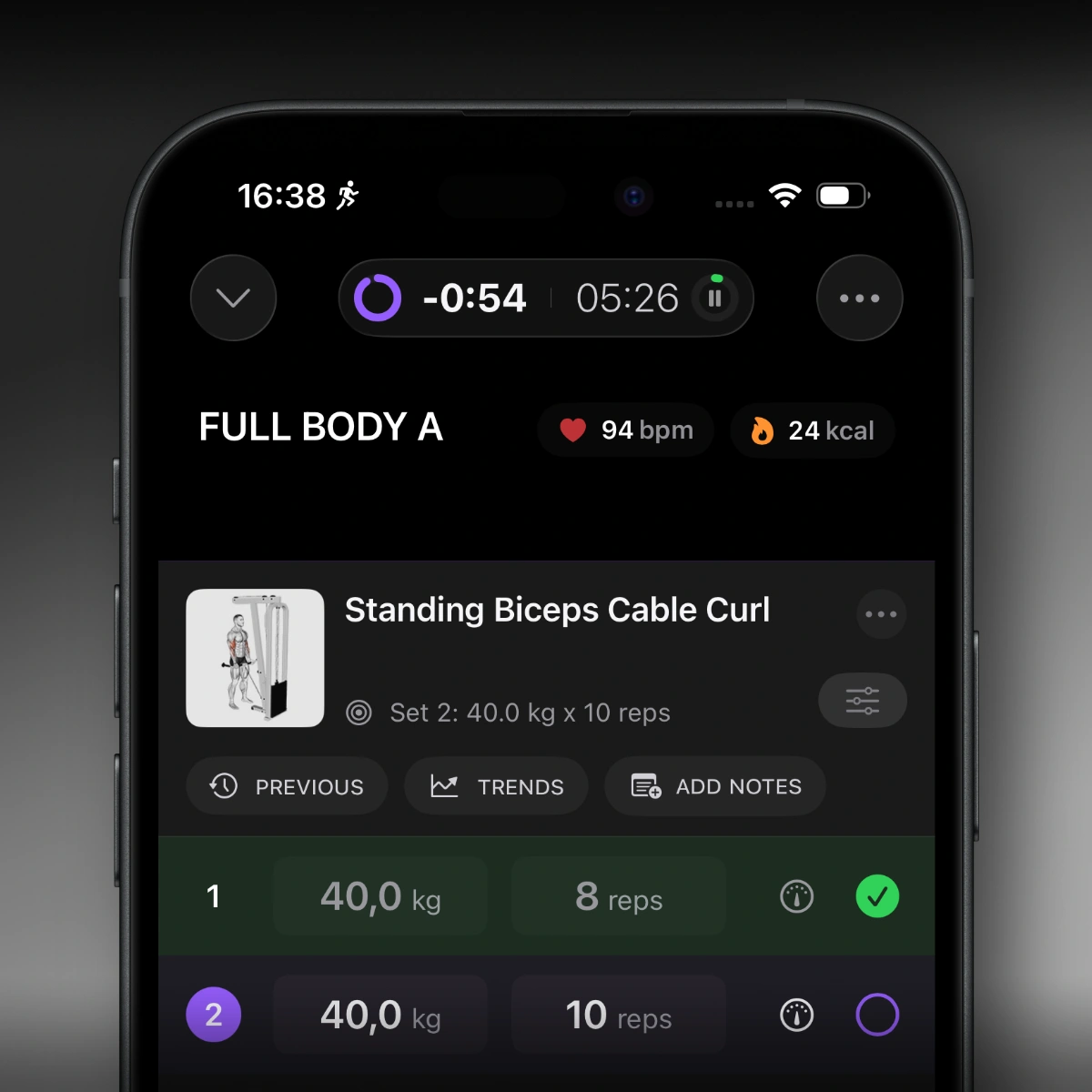
It’s a small addition visually, but seeing your heart rate climb through a heavy squat set — and watching it come back down during rest — gives you a real read on how your body is actually responding to the load.
Complete Sets from the Lock Screen and Dynamic Island
One of the most requested features since Live Activities launched. You can now mark a set complete directly from Live Activities — either on the Lock Screen or in the Dynamic Island — without unlocking your phone.
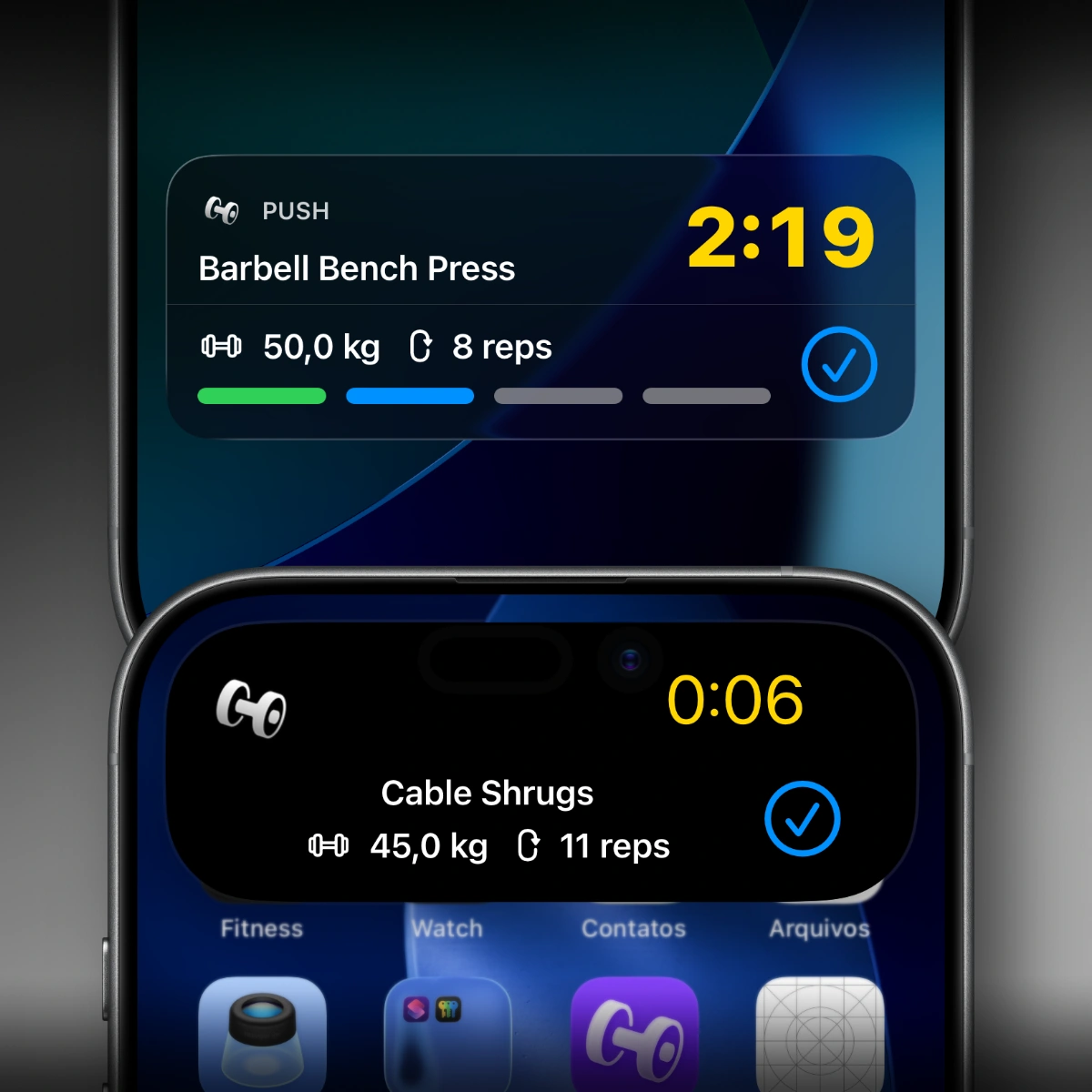
Mid-deadlift. Chalk on your hands. Phone sitting on the bench beside you. One tap on the Dynamic Island and you’re logged. That’s the scenario this was built for.
In-Workout Progression Review
The progression review screen has been redesigned and is now available to all users — not just Pro subscribers.
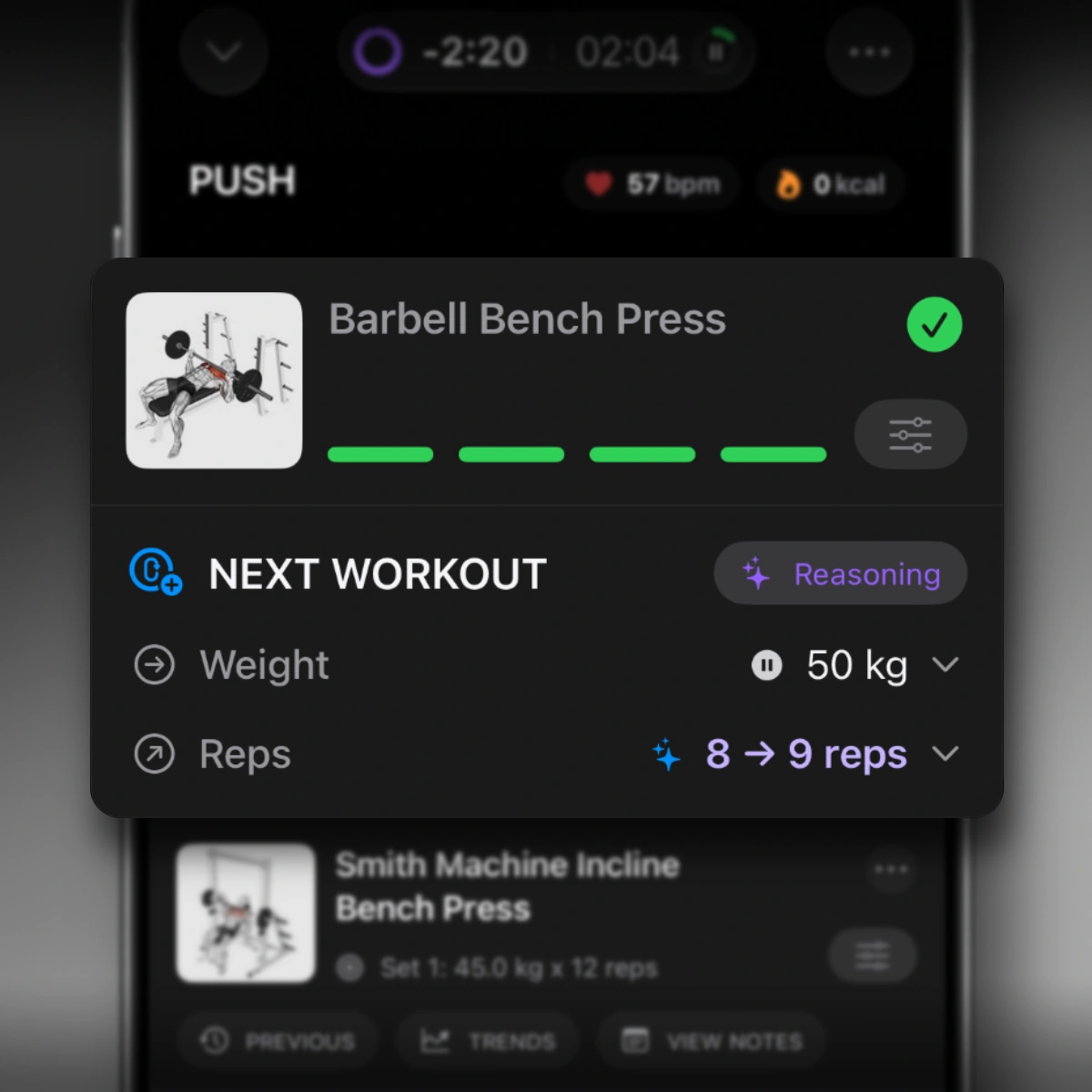
Use it mid-workout to review your performance for the session and set your targets for the next one — before you even unrack the bar. Progressive overload isn’t just a principle — it’s a decision you make in the moment. This gives everyone the context to make it well.
🚀 Improvements
Inline Timer Controls for Duration-Based Sets
Play and pause controls for duration-based sets — think planks, wall sits, or any timed hold — are now inline on both iPhone and Apple Watch. No extra taps, no hunting through the interface while you’re already burning.
Refined Exercise Reordering During Workouts
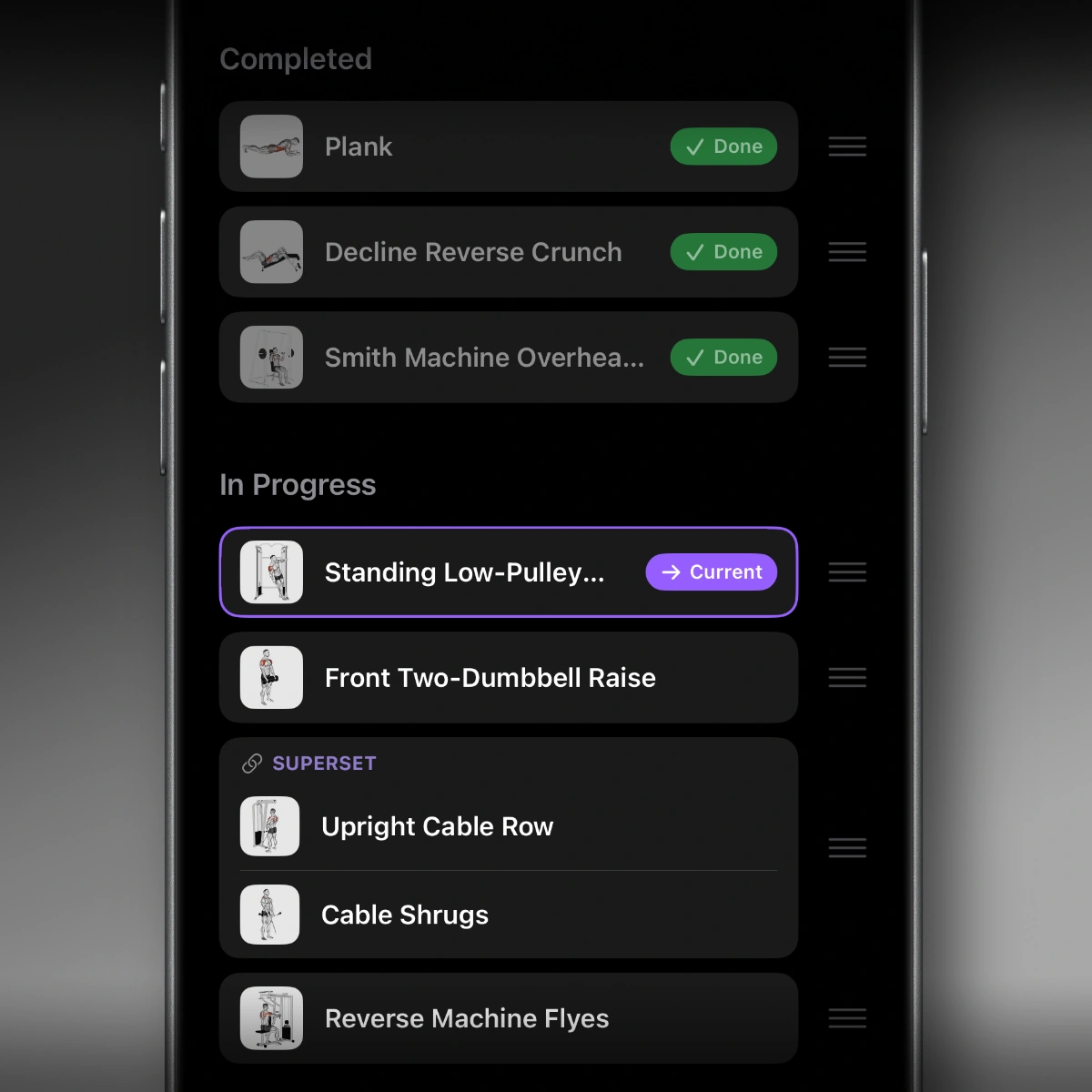
Reordering mid-workout is cleaner. The active exercise has better visual context, and the split between in-progress and completed work is much clearer. Useful when you realize the cable machine is taken and you need to shuffle things around on the fly.
🛠 Fixes & Polish
- Fixed issues with superset creation when exercises have a different number of sets.
- Improved formatting, localization, and layout consistency across workout and settings screens.
- General performance, stability, and UI refinements throughout.
Update to 2.6 on the App Store. Strap on the Watch, start a session, and let me know what you think.
Stay Steady.
Ready to start applying progressive overload?
Ditch the spreadsheets and complex notes. Join thousands of lifters who use Steady to focus on the workout, track their progress, and automatically know when to add weight.
Download Free for iPhone