Steady 3.0: Magic Import
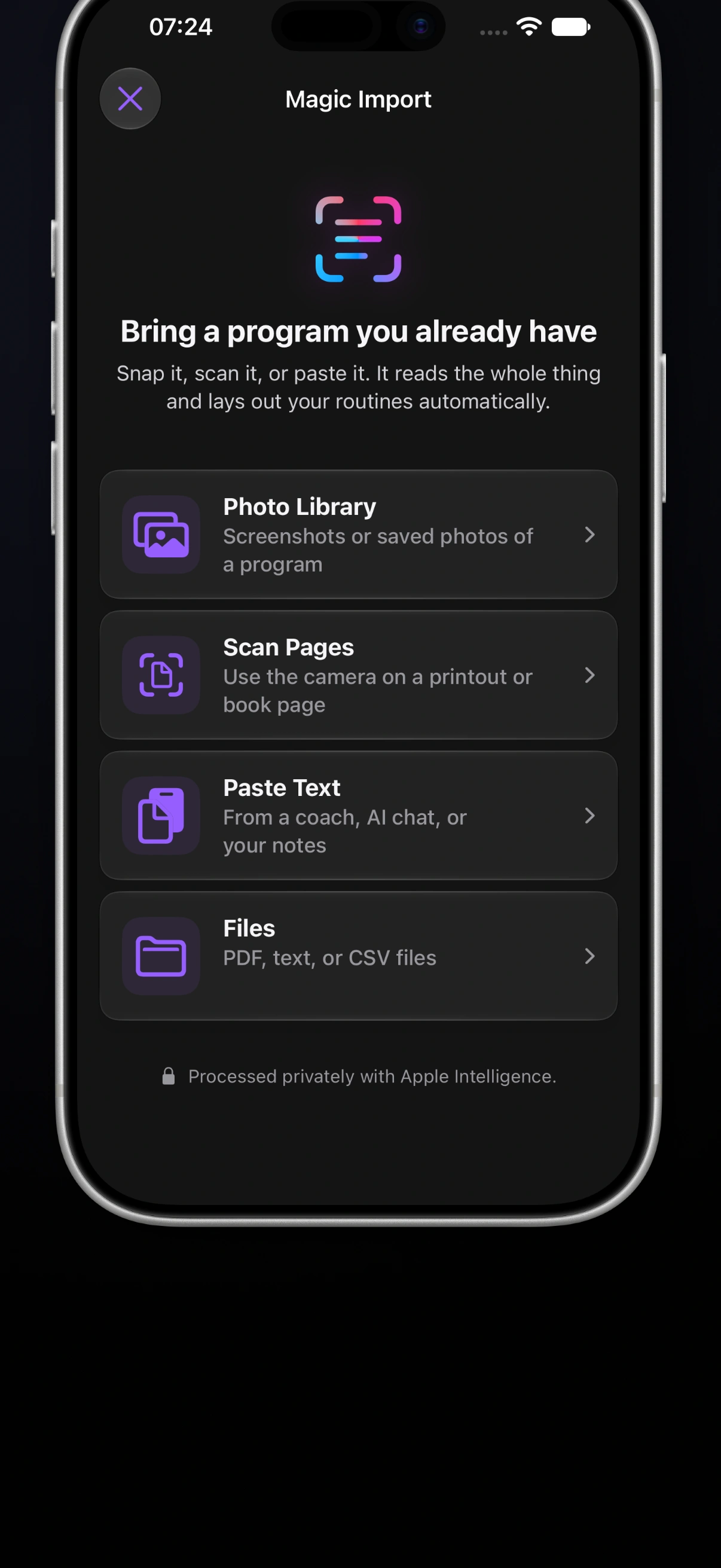
Steady 3.0 brings the workout plan you already follow into the app with Magic Import. It also adds drop sets, tools for adapting programs and updating target weights, a comparison of planned and completed sets, and more workout controls on Apple Watch.
This update starts with a familiar situation: you have a good plan, but it’s sitting in a coach’s message, a gym card, or a PDF. Getting it into your workout log should be easier.
Bring your existing plan with Magic Import
Choose photos from your library, scan printed pages, paste text, or select a PDF, TXT, or CSV file. Magic Import separates the plan into routines and matches exercises to Steady’s library. You can review and edit the exercises, sets, reps, weights, and rest before saving.
If the import has assumed a value or suggested an exercise match, it marks that decision for review. A missing rest time doesn’t have to stop you from bringing the rest of the plan across.
Magic Import is available without Pro, with the free plan’s one-program limit still applying. It requires iOS 27 or later on a compatible iPhone, with Apple Intelligence enabled and ready.
Shape the program around your training
On compatible Apple Intelligence devices, program generation now considers your available equipment, priority muscles, and preferred workout length. Generated plans also have more thoughtful exercise selection, structure, and progression.
Steady Pro adds three ways to work with a program you already have:
- Adapt Program adjusts an existing plan around your equipment, muscle priorities, and a shorter or longer workout, with a preview before you apply changes.
- Rebalance Weights proposes updated target weights across a routine or program based on your current strength. Once you’ve logged enough training, you can review the changes before confirming them.
- Smart Starting Weight uses Apple Intelligence to suggest a starting load for exercises without training history.
Returning to an older program after training something else? You can revisit its weights together, rather than opening every exercise to update its targets individually.

Log every stage of a drop set
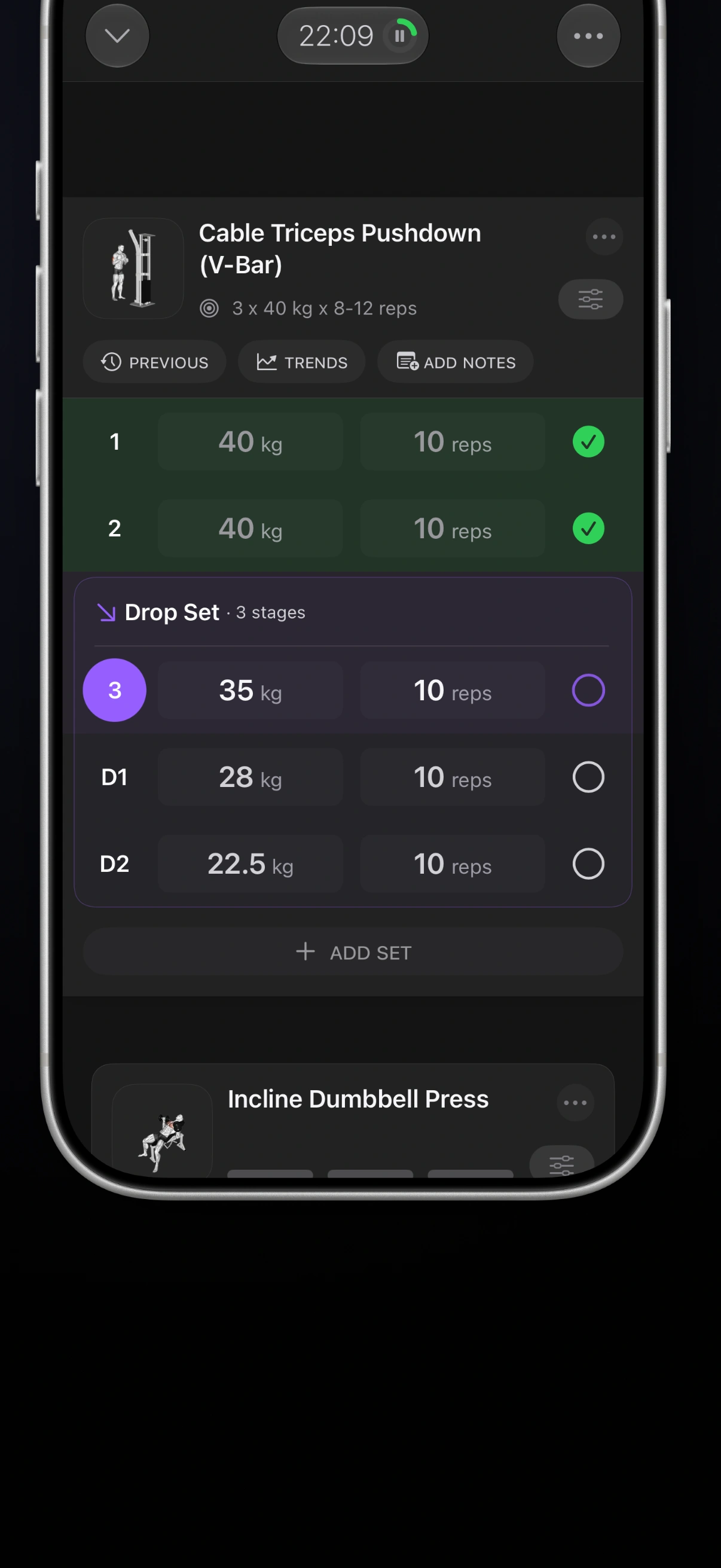
You can now plan classic drop sets in a routine or add lighter stages during a workout on iPhone, then log each stage on iPhone or Apple Watch.
The record keeps the weight and reps for each stage. Every stage contributes to lifted volume, while the whole sequence counts as one set for workout progress and muscle-set totals. You can see the extra work without turning one drop set into several ordinary sets in your weekly counts.
Drop sets are available without Pro.
Compare the plan with the work completed
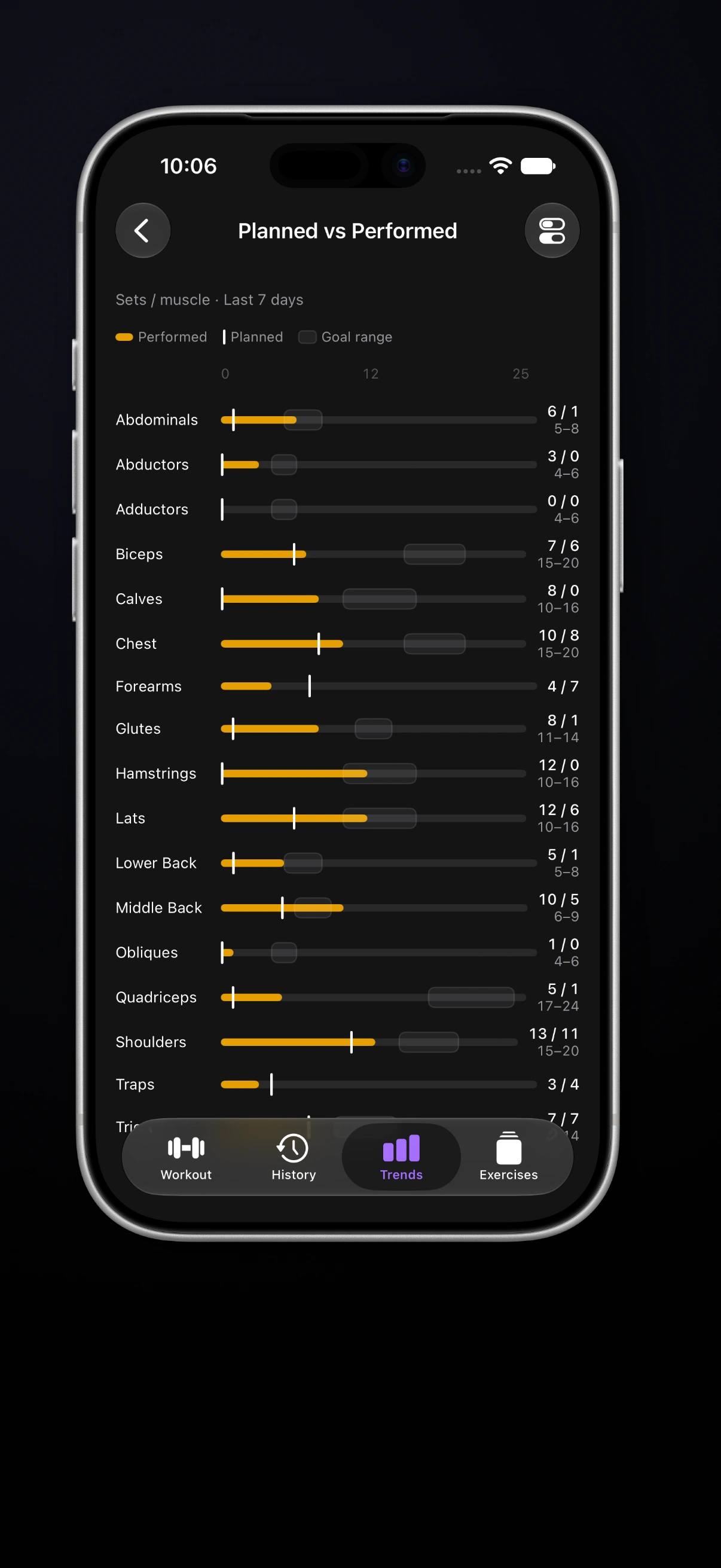
Planned vs Performed compares your program’s planned weekly work for each muscle group with the working sets you’ve completed in the last seven days.
If a busy week meant missing a session, the difference is easier to see. You can check which muscle groups received the work you planned and which didn’t, instead of judging the week by the number of workouts alone.
Keep more of the session on your wrist
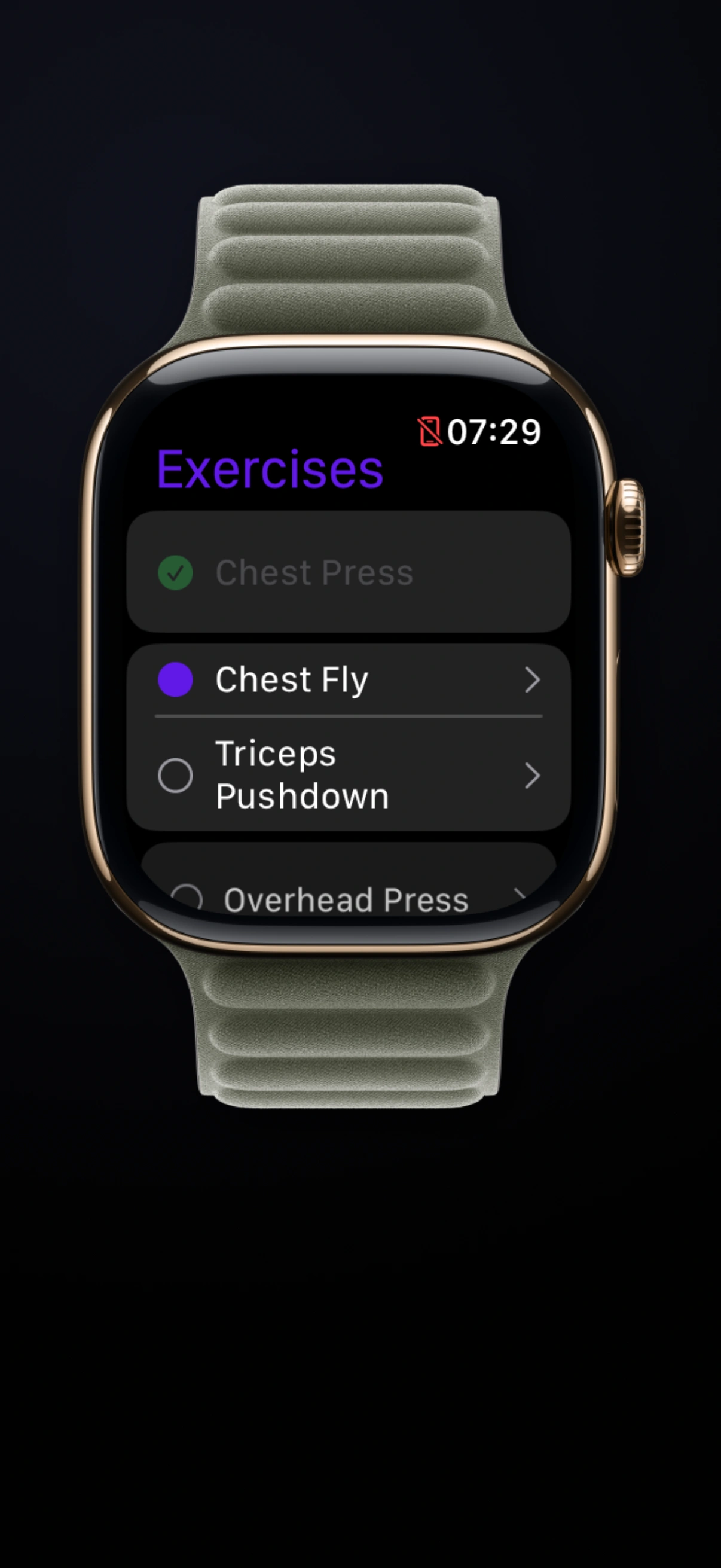
With your paired iPhone nearby, Apple Watch now shows the exercises in your current workout, marks completed work, and lets you jump to an unfinished exercise. If a station is occupied, you can move to another planned exercise from your wrist.
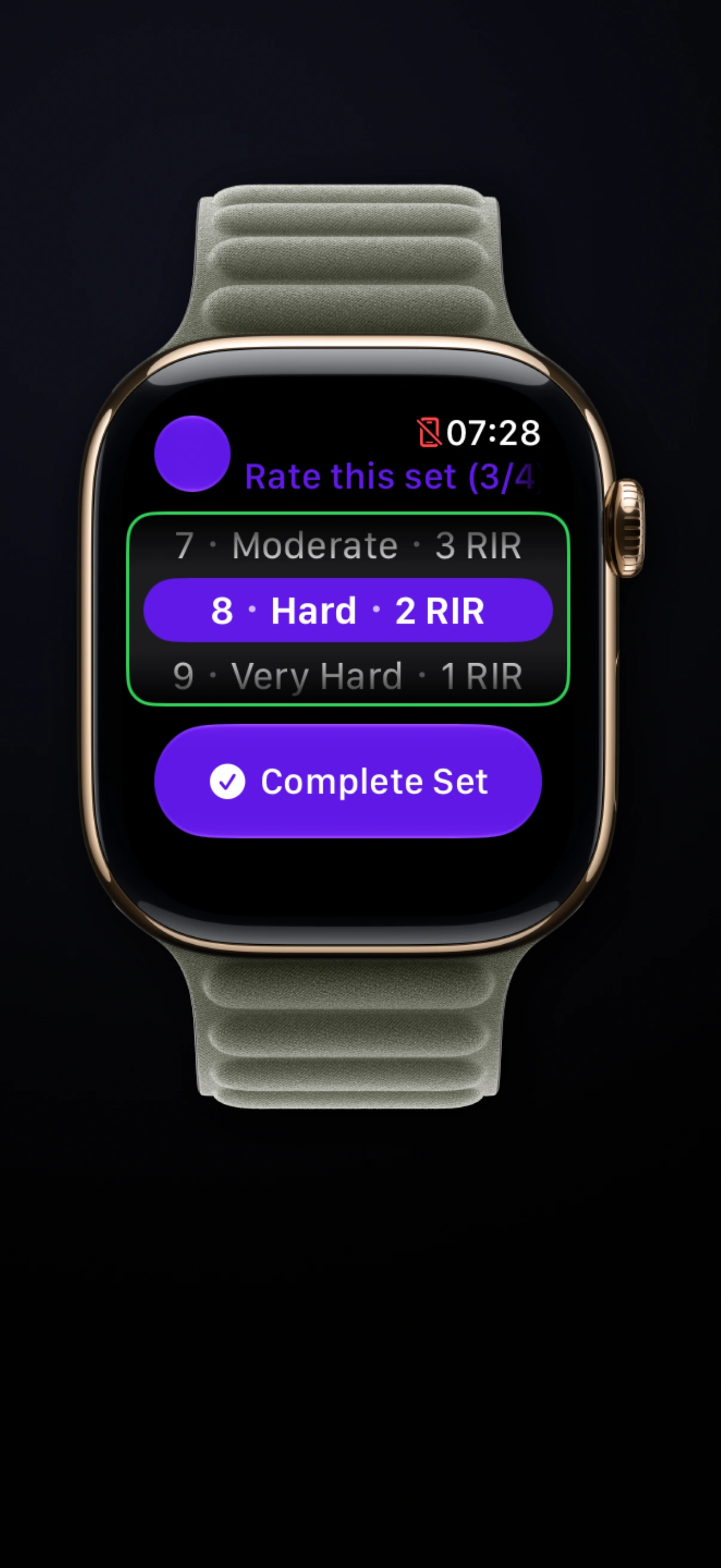
With Pro, you can record each set’s effort using an RPE picker controlled by the Digital Crown. New personal records get a banner, haptic feedback, and set badges. When you finish, a Watch summary brings together sets, volume, calories, and heart rate.
Easier organization and everyday controls
Pro’s new Programs Browser offers grid and list views, sorting, and quick actions for finding and switching programs. Pro also adds routine-card personalization, with 40 colors across four palettes and textures to help each routine feel distinct.
During a workout, tap a set’s number for quick actions: add a drop set, switch between working and warm-up, or delete it. If you leave a workout open, you can finish, resume, or discard it later, with a suggested end time based on the last completed set. An optional Finish Workout Reminder can help you catch those unfinished sessions.
We’ve also refined program editing and text sharing, made workout comparisons clearer, and improved rest-timer sounds, resumed workouts, and updates after editing past sessions.
Update to Steady 3.0 and bring in the plan you’ve been meaning to track. Try it for a session, and tell us how it went at [email protected].
Ready to start applying progressive overload?
Ditch the spreadsheets and complex notes. Join thousands of lifters who use Steady to focus on the workout, track their progress, and automatically know when to add weight.
Download Free for iPhone