Steady for Apple Watch
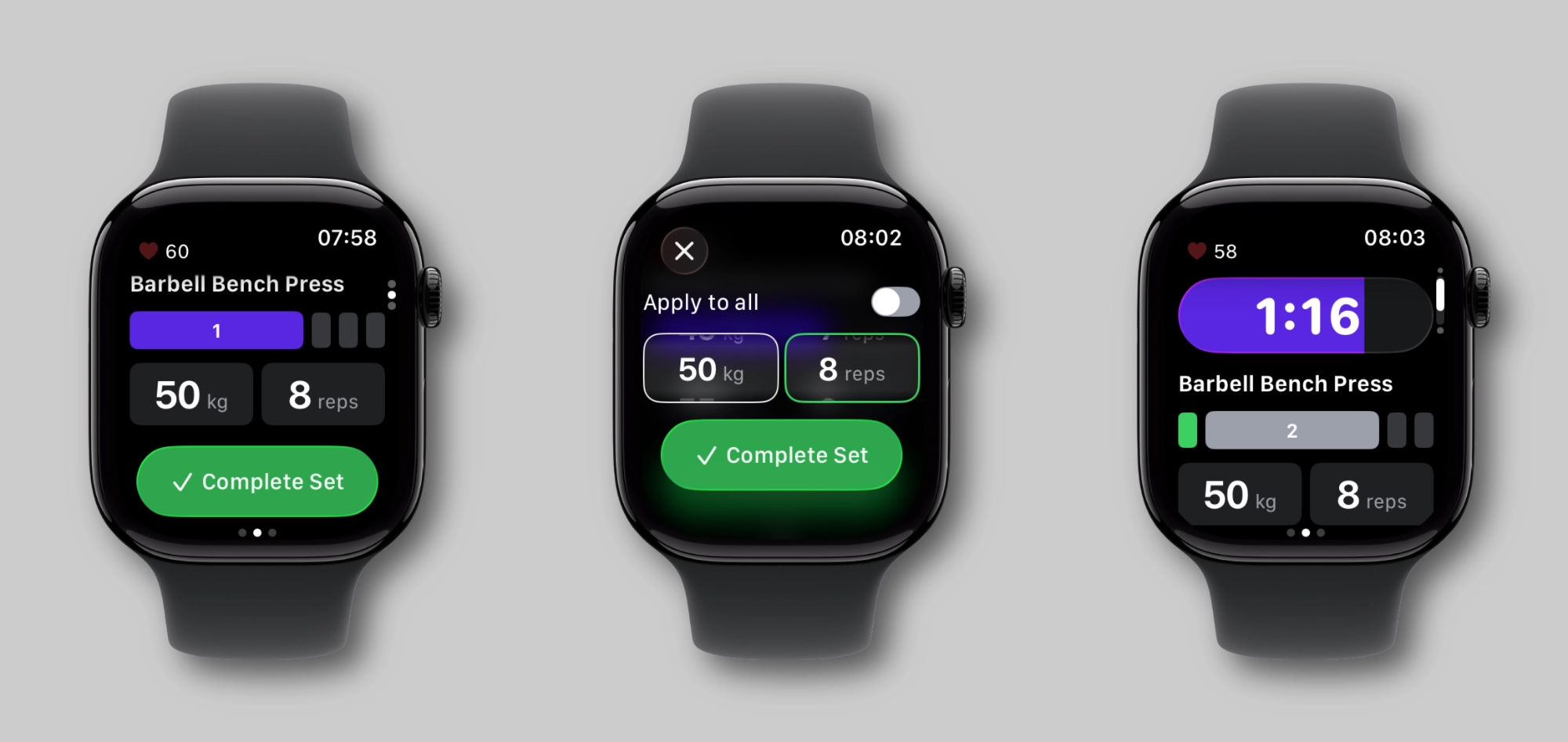
Since the day Steady launched, the most common request I’ve gotten — by far — has been a Watch app. Lifters wanted their wrist in the loop. And I get it completely. There’s something compelling about being able to glance at your training without ever reaching for your phone.
Well, as of version 2.6, Steady is on Apple Watch. And I’m genuinely proud of how it turned out.
Why it took time — and why that’s okay
I didn’t want to ship a Watch app just to say Steady has one. The Watch is a very different surface: small screen, quick interactions, no keyboard. Getting things to feel natural took longer than I expected. There were several approaches I tried and scrapped before landing on something that felt authentically Steady — focused, clean, no fuss.
The result is a companion app that does exactly what it needs to and nothing more. Your iPhone is still your home base during the workout — the Watch doesn’t replace it, it extends it. But that extension has genuinely changed the way I train.
The part that surprised me most
I knew a Watch app would be useful. I didn’t fully appreciate how useful until I started using it myself.
Steady on iPhone is already fast — logging a set is a couple of taps, the timer starts, you’re done. But once you have the Watch in the loop, you discover there’s another level of seamlessness available. I finish a set and either tap Complete Set on my wrist or — my actual favorite — use the double tap gesture. Pinch your index finger and thumb together twice on the hand where you’re wearing the Watch. That’s it. Set logged. Rest timer started.
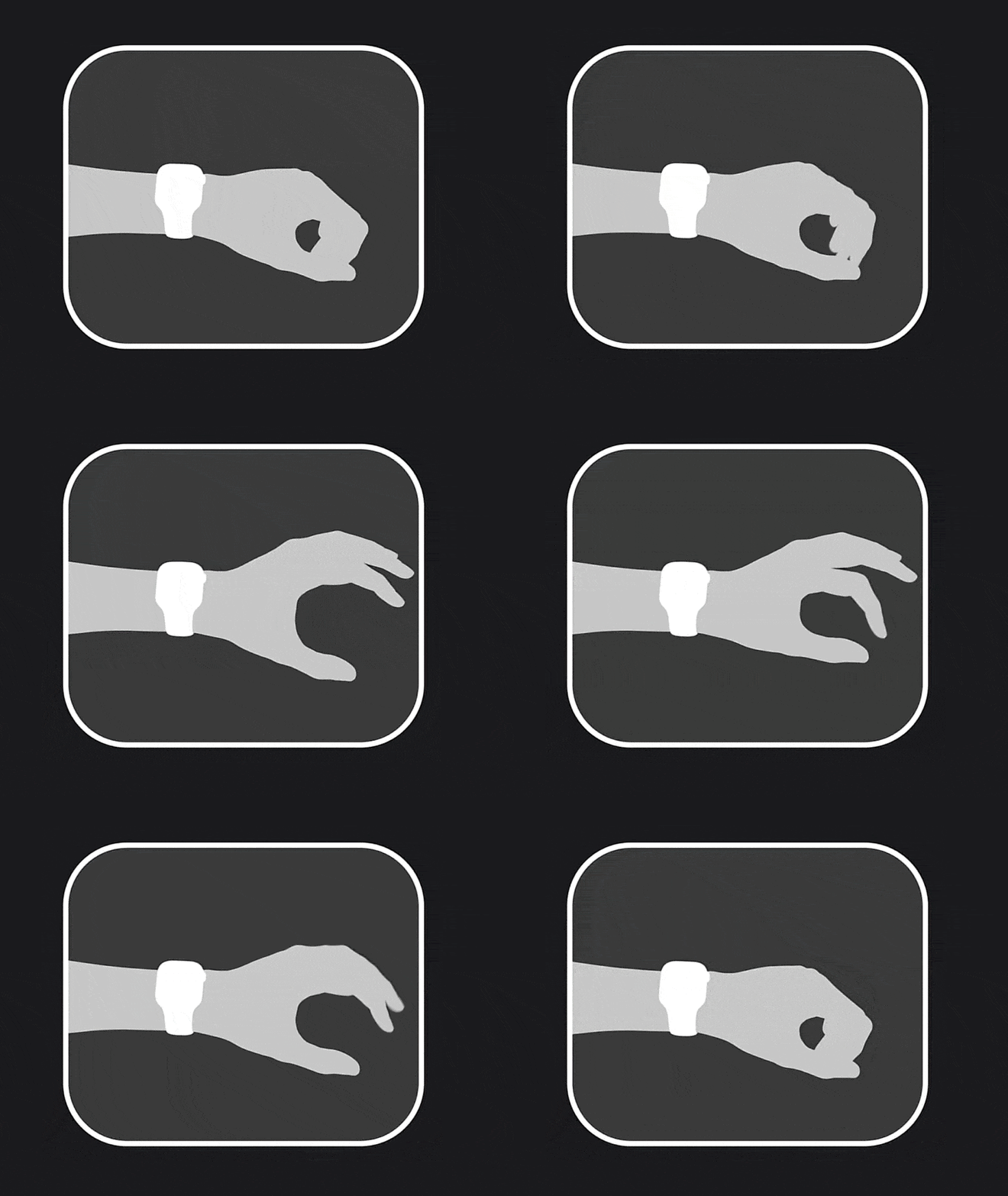
That little gesture has become a genuine highlight of my sessions. Never breaking the physical rhythm of the workout, never lifting my arm to look at a screen — just a quick pinch and I’m already into my rest. It’s a small thing, but it adds up over a full session.
What your wrist is tracking
Once you start a workout on iPhone, the Steady Watch app opens automatically. Swipe up from the main screen and you’ll see your elapsed time, heart rate, and calories burned in real time — all pulled from Apple Health, with a proper workout session active in the background.
The main screen keeps you right on top of the exercise you’re performing: the name, current set out of total, your target weight and reps (or duration, for timed exercises), and the Complete Set button. When the rest timer is running, it dominates the screen — a big countdown you can actually read at a glance. Tap it to get controls: add time, cut it short, or skip the rest entirely.
If you need to adjust your actual reps or weight before completing a set — because real life doesn’t always match the plan — you can tap the target value and change it right there, using either the Digital Crown or a swipe across the screen.
Swipe to the bottom and you’ll see what’s coming next. Swipe right and you get music controls, whether you’re listening on your Watch or your iPhone.
Heart rate on iPhone too
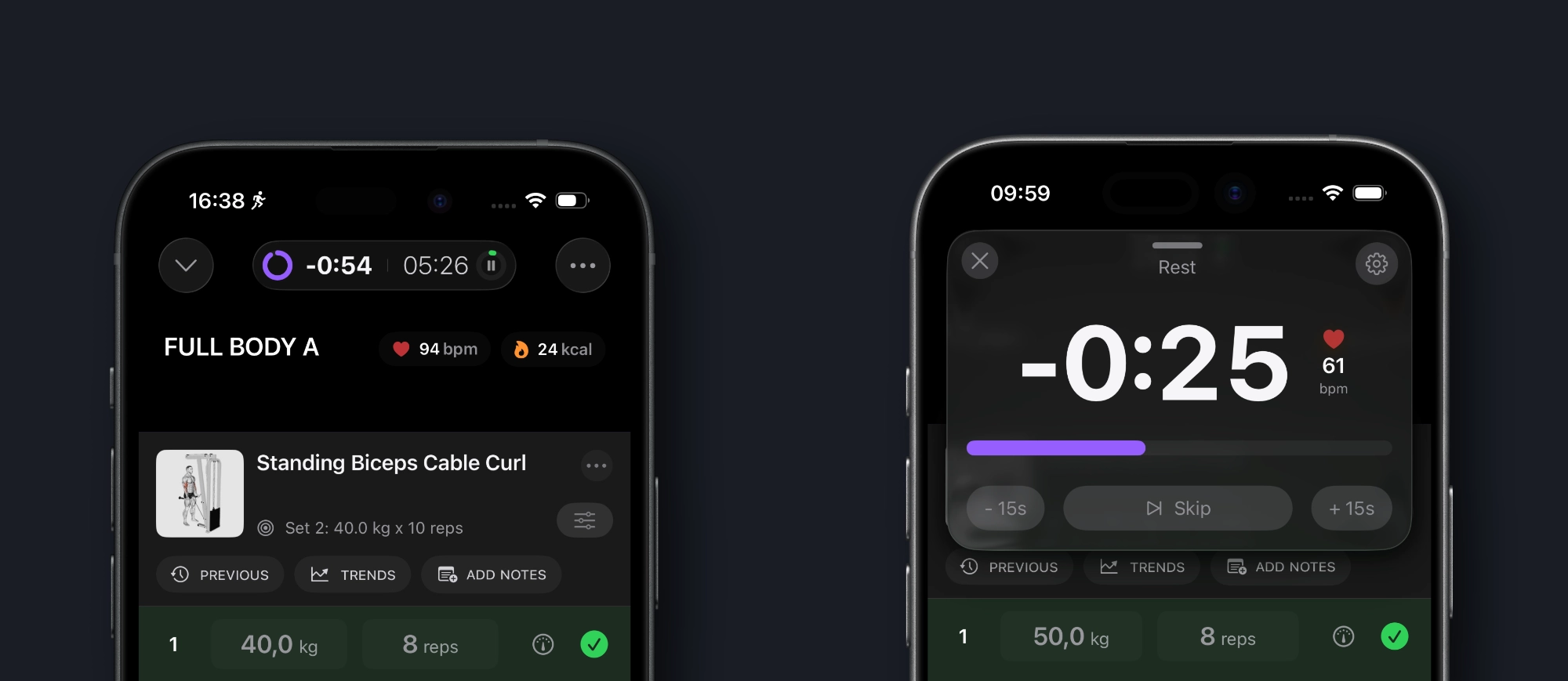
One thing I didn’t expect to find genuinely useful: seeing heart rate on the iPhone workout screen.
I’ve started using it during rest. Before I start my next set, I glance at my heart rate. If it’s still elevated from the previous set, I wait. If it’s come back down, I go. It’s a surprisingly good signal for readiness — especially on heavy compound movements where recovery between sets actually matters.
The same data shows up on the expanded timer screen, so if you like to keep that front and center during rest, it’s right there waiting for you.
A few things worth knowing
The Watch app is a companion — your iPhone still needs to be with you in the gym. Think of the Watch as your second screen, not a standalone trainer on your wrist. They work together.
To unlock everything — workout tracking, heart rate, accurate calorie data — you’ll need to grant Apple Health access on both devices when prompted. Worth taking a moment to do.
The app requires watchOS 26 paired with iOS 26, and it installs automatically when you update Steady to version 2.6.
This is just the beginning
I’ll be honest: there’s a lot more I want to do with the Watch app. But here’s the thing — even in this first, focused version, it already felt so genuinely useful in my own training that I didn’t want to sit on it while chasing a longer feature list. So I decided to ship it, let you experience it, and let your feedback shape where it goes from here. This is the foundation, not the ceiling.
If you have an Apple Watch and you’ve been waiting for this — thank you for being patient. I think it was worth it.
Update to 2.6, strap on the Watch, and let me know what you think.
Stay Steady.
Ready to start applying progressive overload?
Ditch the spreadsheets and complex notes. Join thousands of lifters who use Steady to focus on the workout, track their progress, and automatically know when to add weight.
Download Free for iPhone