How to Set Workout Reminders That Work

Workout reminders work best when they protect a realistic training window instead of trying to manufacture motivation. Choose the days you intend to train, set a time that is usually available, and let the reminder prompt one small next action: pack the bag, leave work, or begin the warm-up. A reminder is a cue—not a command to force a perfect workout.
That distinction matters. A notification cannot solve an overloaded week or make you recovered. What it can do is remove one repeated decision. When the same cue arrives at a useful time, training has less opportunity to get lost among errands, messages, and “I’ll go later.”
A reminder should start a routine, not judge one
The most useful workout reminder is attached to something you already do. It might arrive just before you leave work, after you finish breakfast, or early enough to change clothes before the evening fills up. The goal is to connect the notification to a simple action that makes the session more likely.
Avoid setting it for an aspirational version of your week. A 6 a.m. alert is not helpful if you regularly sleep through it; a 9 p.m. alert is not helpful if that is when you are usually settling down with family. Pick the window you can protect most often, even if it feels less impressive.
If your schedule changes week to week, use reminders as prompts to review the plan rather than pretending every session has to happen at the same hour. Consistency is repeating a workable commitment, not obeying a clock perfectly.
Choose days before choosing the time
Start with the number of sessions your current training plan actually needs. A three-day full-body routine might call for Monday, Wednesday, and Friday. An upper/lower split may work better with four specific days. If you are returning after a break, two reminders can be a more honest starting point than five.
Then choose the time for each day. It is fine to use different times: perhaps an early slot on Tuesday and Thursday, plus a longer Saturday session. The cue should match the real shape of the day.
 A reminder is more useful when it leads into a prepared next action, such as packing your bag or heading out the door.
Three reminder setups that hold up in real life
1. The stable weekly schedule
Use this when your work and recovery pattern is predictable. Set reminders on your normal training days at the point you usually transition toward the gym. The benefit is not that you will never miss a session; it is that the plan has a reliable starting signal.
2. The uneven-week schedule
Use different days and times when your week has fixed constraints. For example, you may train after work twice, then once on a weekend morning. Specific reminders are better than one vague daily alert because they reflect the plan you can actually execute.
3. The restart schedule
After travel, illness, or a busy period, make the first two or three reminders deliberately modest. The job is to re-establish the habit of showing up, not to make up every missed workout. If you need a steadier way to judge the bigger picture, use workout streaks without overtraining.
How to set workout reminders in Steady
In Steady, open Settings and choose Workout Reminders. Tap the plus button, choose a time, select at least one weekday, and save. Steady schedules a recurring reminder for those chosen days and times.
You can keep more than one reminder when different training days need different windows. From the Workout Reminders screen, tap a scheduled reminder to edit its time or days, use its toggle to pause it, or remove it when the plan changes. If notifications are turned off for Steady, the app points you to Settings so you can enable them first.
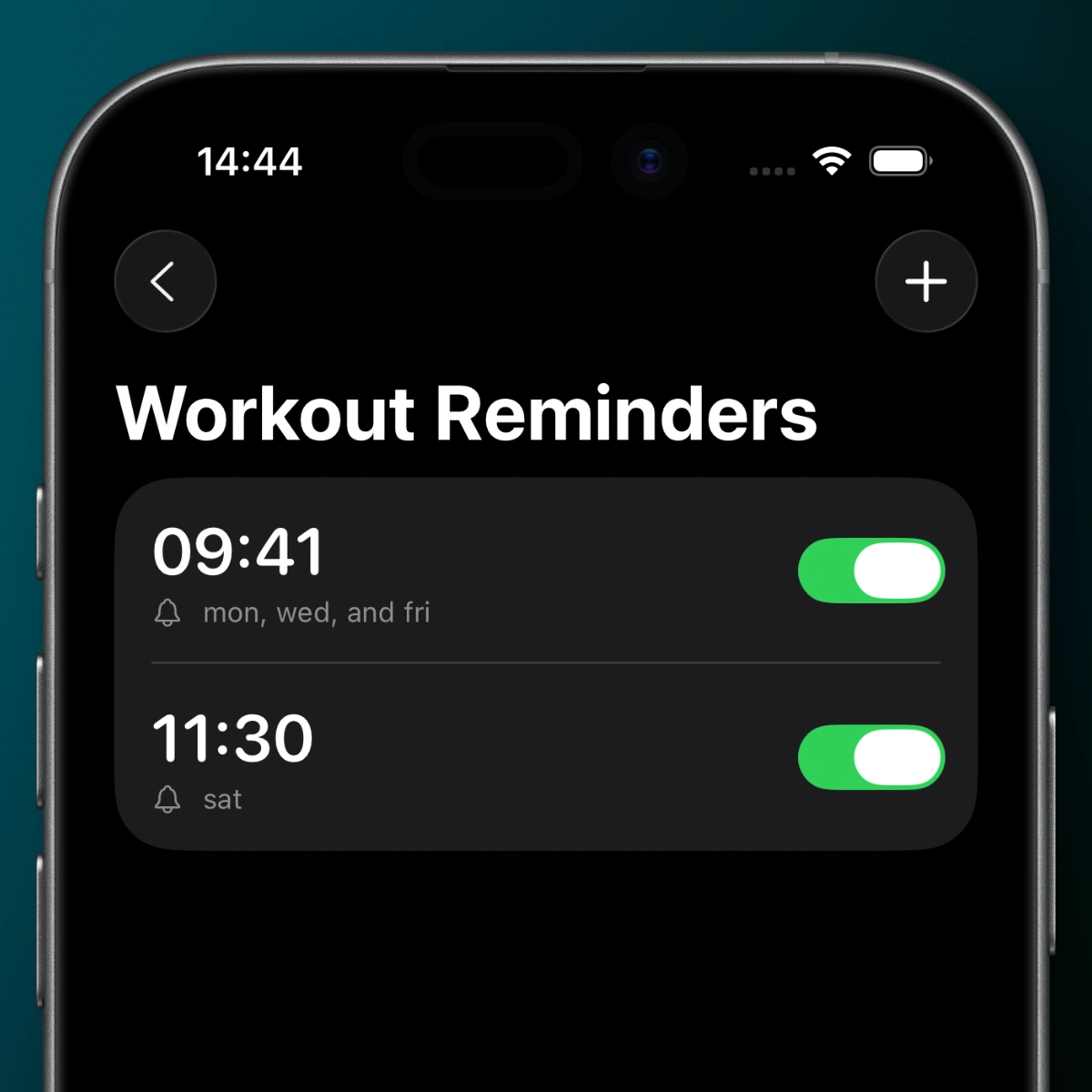 Set the cue to match your actual week, then adjust or pause it when your routine changes.
The feature is intentionally simple: it helps you remember the planned session, but it does not decide the session’s weight, volume, or intensity. On a low-energy day, you can still shorten the workout, repeat a conservative target, or take a rest day when that is the sensible call.
Make the reminder easy to act on
One tiny preparation step makes a reminder much more useful. Put your training shoes by the door, pack a bag before bed, save the routine you plan to run, or decide the first exercise the night before. The notification then becomes a prompt to continue a sequence you already started—not a demand to solve the whole workout at once.
Review the schedule every few weeks. If you repeatedly dismiss the same alert, do not treat that as a character flaw. Move it, change the day, or reduce the number of planned sessions until the schedule matches your life. A reminder that you can follow is better than a more ambitious one you ignore.
Steady keeps that loop focused: choose the training days, log what you actually do, and use the record to make the next week clearer. Set a reminder for the session you can realistically begin, then let the quality of your training—not a notification count—do the rest.
Ready to start applying progressive overload?
Ditch the spreadsheets and complex notes. Join thousands of lifters who use Steady to focus on the workout, track their progress, and automatically know when to add weight.
Download Free for iPhone