How to Choose a Workout App: 10 Things That Actually Matter
The best workout app is usually the one that helps you log fast, see your last performance clearly, stay focused between sets, and keep training data useful over time. A lot of apps look impressive on an app store page, but in real workouts the important questions are much simpler: can you record a set in seconds, repeat a workout without friction, review your history when it matters, and trust the app not to get in your way?
That is the difference between an app that feels exciting for two days and one that still helps six months later. If you want an app for real strength training or muscle building, the goal is not to find the app with the most features. The goal is to find the one that makes good training easier to repeat.
This guide breaks down 10 things that actually matter when choosing a workout app, along with examples, common mistakes, and how to tell which type of app fits you best.
Short definitions
Before comparing options, a few terms help.
- Workout app: any app used to plan, log, or review gym training.
- Workout tracker: a workout app focused on recording exercises, sets, reps, weight, and history.
- Workout history: your previous sessions, used to compare performance and make progression decisions.
- Progressive overload: gradually making training more challenging so your body keeps adapting.
- Offline access: the ability to keep using the app when your gym signal is weak or unavailable.
10 things that actually matter when choosing a workout app
1. Fast logging matters more than a long feature list
If logging a set feels slow, you will feel that friction every single workout.
That is why the first question should be simple:
Can I open the app, record a set, and move on quickly?
A good workout app should make common actions feel obvious:
- log sets, reps, and weight quickly
- edit a mistake without friction
- stay usable with one hand between sets
- avoid forcing extra taps for simple tasks
This matters because most people do not stop tracking because they dislike progress. They stop because the process becomes annoying. If you are still new to logging, How to Start Tracking Your Workouts for the First Time explains why keeping the workflow simple is what makes the habit stick.
2. You should be able to see your last workout immediately
Good training depends on comparison.
If you cannot easily see what you did last time, you will spend more time guessing than progressing. A strong app should make it easy to see:
- last session’s sets and reps
- the previous weight used
- the target you are trying to beat
- a clean history for the same exercise
This is one reason a dedicated gym log app usually works better than generic tools. The best apps are not only places to store information. They are built so the information is actually useful while you are training.
3. The app should support progression, not just storage
A lot of apps can store workout data. Fewer actually help you use that data well.
If your goal is strength or hypertrophy, the app should make it easier to answer practical questions like:
- did I improve on this lift?
- should I add a rep next time?
- did I earn a load increase?
- am I repeating the workout consistently enough to measure progress?
That is where concepts like progressive overload become important. A useful app should not force you to guess whether you are moving forward. It should make progression easier to see and easier to act on.
If an app supports rep ranges, previous performance, personal records, or progression suggestions cleanly, that is often far more useful than a dozen flashy side features.
4. Rest timers should feel built into the workout, not bolted on
Rest time changes performance more than many people realize.
If you are logging your sets in one place and timing your rest somewhere else, your workflow becomes fragmented. That usually leads to more distraction and less consistency.
A better setup is an app that lets you:
- set rest targets per exercise
- start the timer quickly after a set
- keep the timer visible while logging
- stay inside one focused workflow
This matters because tracking rest times between sets helps make workout comparisons much cleaner. The best app is not necessarily the one with the most advanced timer. It is the one that makes consistent rest easy enough that you actually use it.
5. Repeating a past workout should be simple
Most effective training is not built on constant novelty.
It is built on repeating key exercises and trying to perform a little better over time. If an app makes it hard to rerun a previous workout, training becomes more random than it needs to be.
Look for an app that makes it easy to:
- repeat a routine
- keep exercise order organized
- reuse targets from the last session
- review what changed over time
This is where some apps feel like real training tools and others feel like generic fitness dashboards. If repeating a workout takes too much manual cleanup, the app is probably optimized for browsing features, not for lifting.
6. Offline support matters more than people think
Many gyms have weak signal. Some garage gyms, basements, and commercial gyms have almost no reliable connection at all.
If your app becomes unreliable without internet, that creates a problem at exactly the wrong moment. A serious workout app should make logging possible even when connectivity is poor.
That does not always mean every feature has to work fully offline. But your core workflow should be safe:
- opening the workout
- logging sets
- viewing recent history
- saving the session without data loss
If this is a concern for you, How to Log Gym Workouts Offline Without Losing Your Data goes deeper on what to look for. It is also a big reason some people prioritize a dedicated offline workout tracker over broader fitness platforms.
7. Privacy and data ownership are real product features
Not everyone wants a workout app to behave like social media.
For many lifters, privacy is part of what makes an app usable. You may want to track your lifts without public profiles, engagement loops, or pressure to share every session.
Look for questions like:
- do you need an account before the app is useful?
- is the app built around a feed?
- are your workouts private by default?
- does the product feel like a tool or like a platform?
For a lot of people, a more focused and distraction-free workout tracker is a better fit than a social-first app. Less noise often means better logging and better consistency.
8. The app should fit both simple and slightly more advanced training
A beginner does not need endless settings.
At the same time, many lifters eventually want a bit more than exercise name, sets, and reps. The sweet spot is an app that stays simple at the start but does not become limiting later.
Useful flexibility can include:
- rep ranges instead of only fixed targets
- warm-up support
- RPE or effort tracking when wanted
- exercise notes or setup notes
- simple routine editing
This is especially important if you care about real progression and not just record keeping. Someone who reads What Is RPE in Strength Training? or How to Know When to Increase Weight, Reps, or Both may not need those features on day one, but they may appreciate having them later.
9. The app should reduce distraction, not create more of it
Many people assume that a dedicated app is automatically better than a notes app.
That is not always true.
Some workout apps feel bloated, noisy, and overbuilt. In those cases, a plain note can actually feel calmer. That is one reason Workout Tracker vs Notes App is a useful comparison.
The goal is not simply “use an app.” The goal is “use a tool that keeps the workout focused.”
Good signs include:
- no feed competing for attention
- no clutter between sets
- no pressure to browse while training
- no confusing setup just to start a session
If you train best when the interface stays out of the way, this often matters more than advanced analytics.
10. Choose the app you can still trust six months from now
Many decisions look obvious on day one and feel different later.
An app can feel exciting at first because it is polished, new, or full of options. But the longer-term questions are better:
- does it keep your history organized?
- does it still feel fast after dozens of workouts?
- can you review progress clearly?
- does the workflow hold up once your routine becomes repetitive?
This is where a more specialized strength training app often wins over a general wellness app. General apps can be broad. But if training progress is the main job, the best tool is usually the one designed around that job.
 Most workout apps compete by adding features. The ones worth choosing compete by removing them.
Practical examples
Example 1: a beginner who just wants to stop guessing
A new lifter does not need advanced charts or complicated programming tools.
They need an app that makes it easy to:
- log exercises quickly
- see the last workout
- repeat the same basic routine
- keep the habit simple
For this person, speed and clarity matter more than customization.
Example 2: an intermediate lifter running an upper/lower split
This person repeats the same lifts often enough that previous performance matters a lot.
They usually benefit from:
- clear workout history
- rep ranges
- rest timers
- an easy way to repeat workouts
- a cleaner view of progression over time
For them, the difference between a casual app and a serious tracker becomes much more obvious.
Example 3: a privacy-focused lifter training in low-signal gyms
This person may care less about social features and more about reliability.
Their priorities are different:
- offline logging
- private data by default
- fast set entry
- minimal distraction
For them, a simple focused app is often much better than a broad fitness platform trying to do everything.
Common mistakes when choosing a workout app
1. Choosing based on screenshots instead of real workout flow
A beautiful app store page does not tell you whether logging is fast when you are tired and between sets.
2. Overvaluing feature count
More features do not automatically create better training. In many cases, they create more friction.
3. Ignoring workout history
If the app makes past performance hard to access, it will be harder to progress consistently.
4. Forgetting about offline use
An app that works perfectly at home but struggles in the gym is not solving the real problem.
5. Picking a social app when you really want a private tool
A lot of people think they need motivation from community features when what they really need is less distraction and cleaner logging.
Who this is for
This article is especially useful for:
- beginners trying to choose their first real workout tracker
- lifters moving beyond a notes app or spreadsheet
- people frustrated with social-first fitness apps
- gym-goers who want a cleaner way to track progressive overload
- anyone comparing workout apps for long-term consistency rather than novelty
Conclusion
If you want the shortest version, choose the workout app that helps you log fast, see your last performance clearly, repeat workouts easily, and stay focused while training. Those qualities matter much more than a crowded feature list.
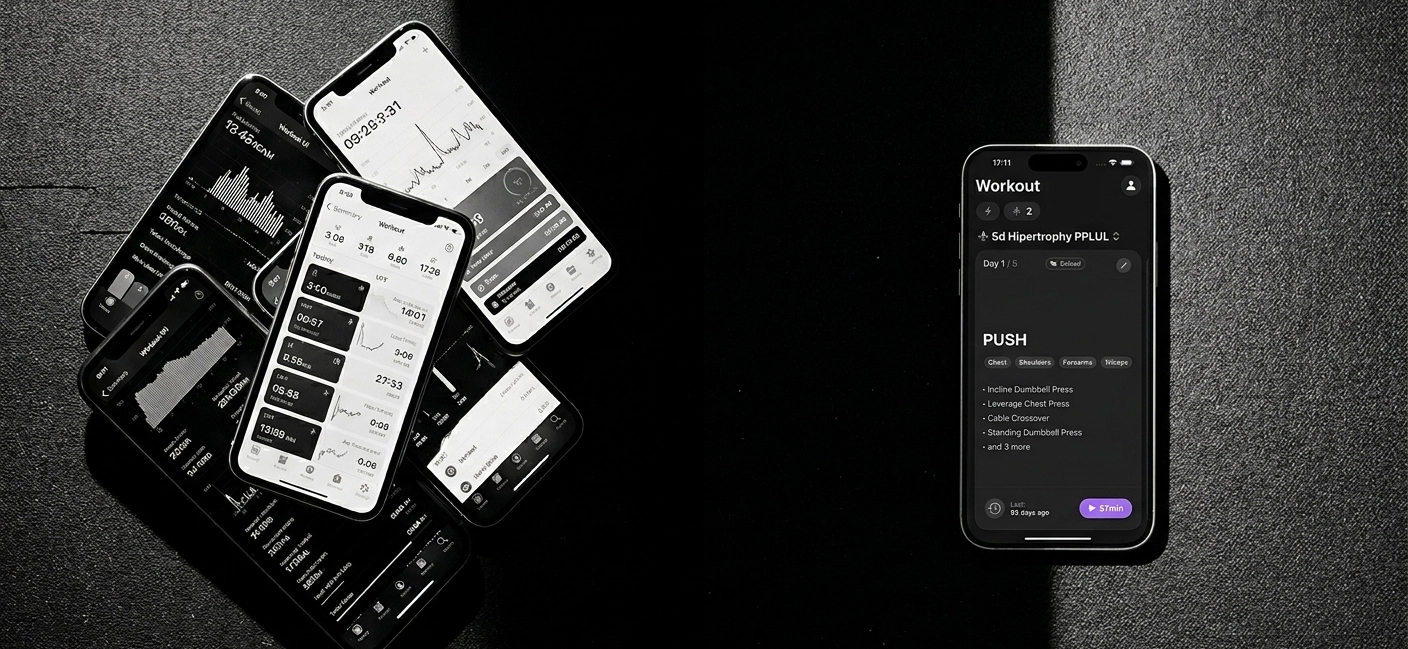
The best app is the one that makes your training easier to repeat and your progress easier to understand. If that is what you want, Steady is built around exactly those priorities: fast logging, clear workout history, rest timers, progression support, offline-friendly use, and a clean interface designed for lifters instead of engagement loops.
If you want to compare that approach more closely, start with the Gym Log App for iPhone, the Offline Workout Tracker, and the Distraction-Free Workout Tracker pages.
Ready to start applying progressive overload?
Ditch the spreadsheets and complex notes. Join thousands of lifters who use Steady to focus on the workout, track their progress, and automatically know when to add weight.
Download Free for iPhone