How to Track Progressive Overload Properly Without Using Spreadsheets

You can track progressive overload properly without using spreadsheets by keeping one simple record for each exercise: what you lifted, how many reps you got, how many sets you completed, and what you should try to beat next time. That is enough to make progression visible. You do not need color-coded cells, complicated formulas, or a giant training dashboard. You need a system that is fast enough to use during real workouts and clear enough that your next session starts with a useful reference point.
Many people understand the basic idea of progressive overload, but get stuck on the tracking part.
They assume the “serious” way to do it is with a spreadsheet. On paper, that sounds organized. In real training, it often creates more friction than clarity. Spreadsheets are great for analysis at a desk. They are usually not the best tool when you are between sets, slightly tired, and trying to decide whether you earned one more rep or a load increase.
That is why the better question is not “How detailed can my tracking system become?” It is:
What is the simplest system that still helps me make better progression decisions?
For most lifters, the answer is much simpler than they expect.
Short definitions
Before getting practical, a few terms help.
- Progressive overload: gradually making training harder in a way your body can adapt to over time.
- Workout history: the record of what you did in previous sessions.
- Rep range: a target range such as 8 to 10 reps, where you build reps before increasing weight.
- Fixed target: a set number of reps you aim to hit, such as 3 sets of 5.
- Exercise performance: the combination of load, reps, sets, and execution you achieved on a lift.
If you want the broader concept first, read What Is Progressive Overload?.
Why spreadsheets are not required
Spreadsheets are useful when you want maximum customization.
They can calculate tonnage, estimate trends, and organize a lot of training data in one place. But most people do not fail to progress because their spreadsheet is not advanced enough. They fail because the system is too annoying to use consistently.
That usually shows up in a few predictable ways:
- sets get logged later instead of during the workout
- exercise names become inconsistent
- previous performance takes too long to find
- progression decisions stay vague even with a lot of data
- the system starts feeling like admin work
That is the problem.
Progressive overload works best when the comparison between one session and the next is easy to see. If your tracking method is slow enough that you stop using it properly, the structure is not helping anymore.
This is one reason many people move away from spreadsheets and toward a more focused gym log app. The best tool is usually the one that keeps the history visible without making workout execution harder.
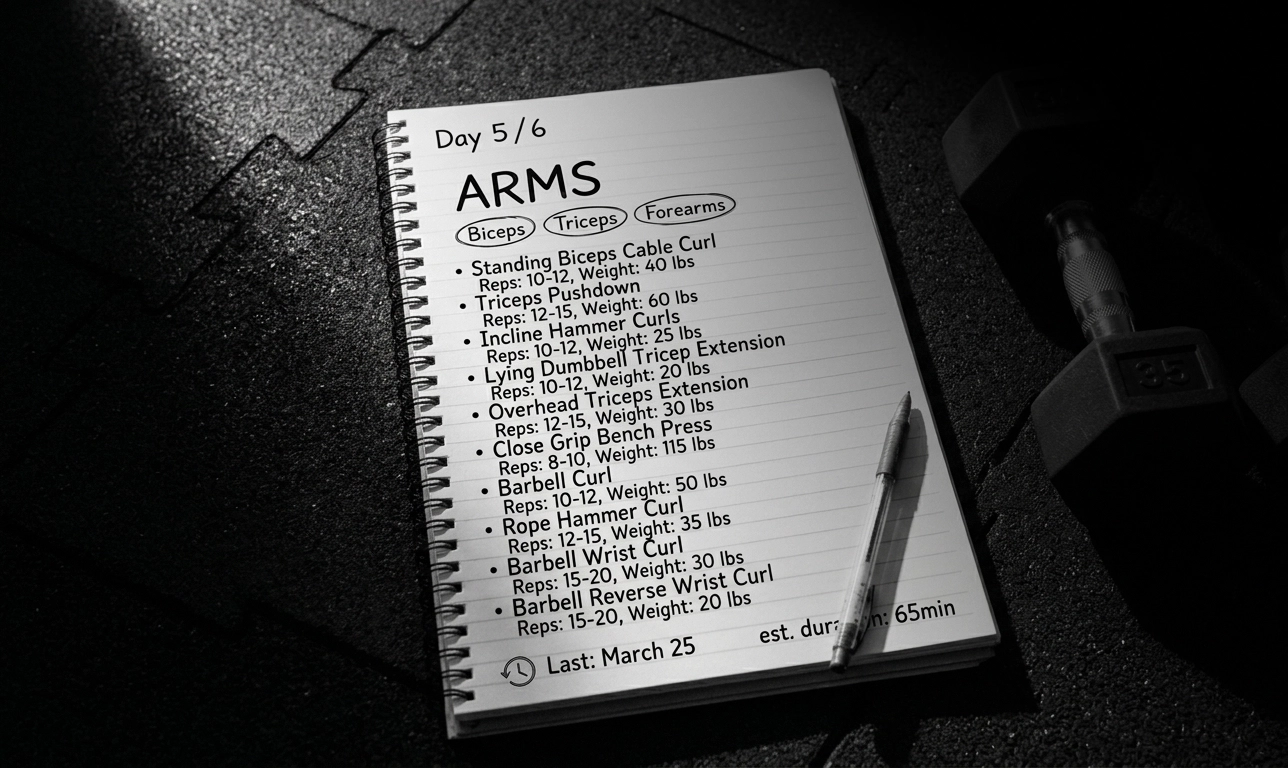 Even a paper notebook beats a half-maintained spreadsheet — but a real tracker beats both.
What you actually need to track progressive overload
For most exercises, you only need four things:
- exercise name
- weight used
- reps performed
- number of work sets
That is the core.
If you are logging those consistently, you already have enough information to answer the questions that matter:
- did I match last time?
- did I beat last time?
- am I still building reps at this weight?
- have I earned a heavier load?
- has this lift stalled for long enough that I should pay attention?
You can add more later if it helps. Rest times can be useful. RPE can be useful. Exercise notes can be useful. But they are not the foundation. The foundation is having a clean record of performance that you can compare quickly.
If you are still building the habit itself, How to Start Tracking Your Workouts for the First Time is the best companion piece.
The simplest system that works
A practical no-spreadsheet system looks like this:
- choose the exercise and target
- log each work set during the workout
- keep the previous performance visible
- use one clear rule for progression
- repeat the same comparison next session
That is all you are trying to do.
In practice, each step matters for a different reason.
1. Choose the exercise and target
Progression is easier when the target is clear.
That target can be:
- a rep range, such as 3 sets of 8 to 10
- a fixed target, such as 3 sets of 5
Without a defined target, it becomes harder to tell whether performance actually improved or whether the workout was just different.
2. Log each work set during the workout
Do not wait until the end if you can avoid it.
Progressive overload depends on accurate comparison, and memory gets unreliable fast once multiple lifts start blending together. Logging during the rest period is usually the easiest approach because the information is still fresh and the next decision depends on it.
3. Keep the previous performance visible
This is one place where spreadsheets often lose to simpler tools.
During a real session, you want to see the last result immediately. You do not want to zoom around cells or scroll through a giant table looking for what happened on incline dumbbell press last Thursday.
That is why many lifters eventually prefer a distraction-free workout tracker. The structured history is more useful in the moment.
4. Use one clear rule for progression
You do not need a formula for every lift.
You need a simple rule you can repeat.
For example:
- if you are using a rep range, build reps until you reach the top of the range across all target sets, then increase weight
- if you are using a fixed target, increase weight once you hit the target with solid form
If you want a deeper explanation of that decision, How to Know When to Increase Weight, Reps, or Both covers it in detail.
5. Repeat the same comparison next session
That is where the value accumulates.
Progressive overload is usually not dramatic from workout to workout. It often looks like:
- one extra rep
- cleaner execution at the same load
- one set matching a previous best
- a small weight increase after a few successful sessions
Those changes are easy to miss without a clean training record. They become obvious when the previous workout is always right in front of you.
Practical steps for tracking progressive overload without spreadsheets
Here is the most practical way to run it.
Step 1: Pick a progression model for the exercise
Most people do best with one of these:
- Rep range progression for many hypertrophy lifts, such as 3 sets of 8 to 10
- Fixed targets for some strength-focused or highly repeatable lifts, such as 3 sets of 5
The goal is to make the decision rule obvious before the set starts.
Step 2: Record only the work that matters
For each main exercise, record:
- the load
- each work set
- the reps on each set
That already gives you a usable history. If your system becomes so detailed that you avoid opening it, you made it worse, not better.
Step 3: Compare against the last session, not against fantasy
A lot of lifters think they should progress every time they train.
That is not realistic.
The useful question is: Did this session move forward compared with the last comparable one?
That could mean:
- more reps with the same weight
- the same reps with cleaner execution
- the same result under more stable conditions
- a weight increase after topping out the rep target
Step 4: Keep rest times reasonably consistent
You do not need perfect lab conditions, but random rest makes comparisons weaker.
If one session uses 60 seconds between sets and the next uses 3 minutes, the data becomes harder to interpret. This is exactly why The Best Way to Track Rest Times Between Sets matters so much when progression is the goal.
Step 5: Make the next action obvious
At the end of the exercise, you should be able to answer one simple question:
- next time, am I trying to add reps, add weight, or repeat this performance more cleanly?
If your tracking system does not make that answer clearer, it is probably collecting data without helping decisions.
Examples
Here are a few common examples of how this works without a spreadsheet.
Example 1: hypertrophy lift with a rep range
Target: Incline Dumbbell Press, 3 sets of 8 to 10
Session 1:
- 24 kg x 8
- 24 kg x 8
- 24 kg x 7
Session 2:
- 24 kg x 8
- 24 kg x 8
- 24 kg x 8
Session 3:
- 24 kg x 9
- 24 kg x 8
- 24 kg x 8
There is no spreadsheet magic here. You are simply building reps until the weight is fully owned inside the target range.
Example 2: fixed target for a more stable lift
Target: Barbell Row, 3 sets of 5
Session 1:
- 60 kg x 5
- 60 kg x 5
- 60 kg x 4
Session 2:
- 60 kg x 5
- 60 kg x 5
- 60 kg x 5
Now you have a clear decision: next session, increase the load slightly if the execution was solid.
Example 3: a session that did not progress on paper
Target: Leg Press, 3 sets of 10 to 12
Last session:
- 140 kg x 12
- 140 kg x 11
- 140 kg x 10
This session:
- 140 kg x 12
- 140 kg x 11
- 140 kg x 10
That is not automatically bad.
If the execution was cleaner, the depth was better, or the rest periods were more controlled, the session may still be useful. The point of tracking is not to panic every time the numbers do not jump. The point is to keep the decision-making honest.
Common mistakes
The biggest mistakes usually come from overcomplicating the system.
1. Tracking more data than you can actually use
More data is not always more helpful. If the process slows you down enough that you stop logging properly, it is too much.
2. Changing exercise names all the time
If one week you write “incline DB press” and the next week “incline dumbbell bench,” your history becomes harder to scan.
3. Expecting progress every single workout
Progressive overload is a long-term pattern, not a guarantee that every session will beat the last one.
4. Using a spreadsheet that looks organized but feels bad in the gym
A tool can be technically powerful and still be the wrong tool for the moment when decisions need to happen.
5. Mistaking random effort for structured progression
Trying harder is useful. But progressive overload works best when the previous performance gives shape to the next target.
Who this is for
This approach is especially useful for:
- beginners who want a simple way to start applying progressive overload
- lifters whose spreadsheets keep getting ignored during workouts
- people who want structure without turning training into office work
- users moving from notes or memory to a more repeatable tracking system
- anyone who wants a clearer path from workout history to progression decisions
If you want a practical system, not a complicated one, this is probably the right level of structure.
Conclusion
You do not need spreadsheets to track progressive overload properly. You need a system that makes your last performance easy to see and your next action easy to choose.
For most people, that means logging exercise, weight, reps, and sets in a way that is fast enough to use during the workout and structured enough to compare later. That is what turns progressive overload from a concept into an actual training habit.
If you want the conceptual foundation first, start with What Is Progressive Overload?. If you want help deciding how to progress from one session to the next, read How to Know When to Increase Weight, Reps, or Both. And if you want a cleaner tool for running this system in the gym, Steady’s Progressive Overload App, Gym Log App, and Offline Workout Tracker pages are the best next places to go.
Ready to start applying progressive overload?
Ditch the spreadsheets and complex notes. Join thousands of lifters who use Steady to focus on the workout, track their progress, and automatically know when to add weight.
Download Free for iPhone