What Should You Actually Log in a Workout? A Minimalist Guide to Sets, Reps, and Weight

If you want the shortest useful answer, log the exercise, the weight, the reps for each working set, and how many work sets you completed. That is enough for most people to compare one session with the next, apply progressive overload, and stop relying on memory. You do not need to start by logging every warm-up set, every exact second of rest, or a paragraph of notes after every lift. A minimalist workout log works best when it helps decisions, not when it creates admin work.
This is one of the most useful questions a lifter can ask early on.
A lot of people know they should track their training, but they are not sure what belongs in the log and what is just noise. That uncertainty usually creates one of two bad outcomes: either they log almost nothing and end up guessing, or they try to log everything and stop because the system becomes annoying.
The better approach sits in the middle.
You want to record the smallest amount of information that still makes your next workout clearer. For most people, that means learning how to log sets, reps, and weight in a way that is fast enough to use between sets and structured enough to review later.
If you are still building the habit itself, How to Start Tracking Your Workouts for the First Time is the best broader starting point. This article is narrower: it is about exactly what belongs in the log once you open it.
Short definitions
Before getting practical, a few terms help.
- Exercise: the movement you are performing, such as bench press, leg press, or cable row.
- Set: one round of repetitions for an exercise.
- Rep: one completed repetition of the movement.
- Weight: the load used for the set.
- Work set: the sets that are meant to count toward your main training target, not just warm-up preparation.
- Workout log: the record of what you did in a training session.
Those definitions are simple, but they matter because a useful log is just a clean record of those pieces put together in the right way.
What should you actually log in a workout?
For most lifters, the core answer is:
- exercise name
- weight used
- reps performed on each work set
- number of work sets completed
That is the foundation.
If your log shows that you did Incline Dumbbell Press, 24 kg, 8 reps, 8 reps, 7 reps, you already have something useful. Next time, you can try to match it, beat it, or repeat it more cleanly. That is enough to guide real decisions.
This is also why a dedicated gym log app usually works better than scattered notes. The goal is not just storing information. The goal is making the previous performance visible at the moment you need it.
Why these four pieces of information matter most
Each of these gives you something different.
Exercise name tells you what you are comparing
Progress only makes sense when the comparison is clear.
If you do not know whether last week was a barbell row, a chest-supported row, or a cable row with a different setup, the history becomes less useful. The exercise name is what anchors the rest of the data.
Weight tells you the load you handled
Without the load, the rep count loses meaning.
Ten reps can be a personal best or an easy set, depending on the weight. Logging weight is what makes the performance interpretable.
Reps show what happened inside the set
Reps are where a lot of progress becomes visible.
If the weight stays the same but your reps improve from 8, 8, 7 to 8, 8, 8, that is not trivial. That is exactly the kind of progress many people miss when they rely on memory alone.
Number of work sets shows how much useful work you completed
A single top set and three hard sets are not the same thing.
Logging the actual work sets keeps your record honest. It tells you not only how heavy the exercise was, but how much meaningful work you got done with it.
That is one reason this topic connects so closely to How to Track Progressive Overload Properly Without Using Spreadsheets. Progressive overload becomes much easier to apply once those basic pieces are always visible.
What you usually do not need to log right away
This is where many workout logs become harder than they need to be.
Some information can be useful later, but most people do not need it on day one.
You usually do not need to start by logging:
- every warm-up set
- the exact rest duration after every set
- long technique notes after every exercise
- tempo on every movement
- every subjective feeling during the workout
- advanced fatigue metrics you do not know how to use yet
That does not make those things useless. It just means they are not the foundation.
For example, rest matters a lot, but it is often more useful as a preset you follow than a detail you manually type in after each set. That is exactly why The Best Way to Track Rest Times Between Sets fits so well beside this topic.
The minimalist system that works in real workouts
A practical logging system looks like this:
- open the exercise before the set starts
- complete the set
- log the weight and reps immediately
- keep the last session visible
- move to the next set with a clear target in mind
That is it.
The point is not to create a perfect archive. The point is to make the next decision easier while you are still in the workout.
Step 1: Use one clear exercise name
Keep the naming stable.
Do not rotate between “incline DB press,” “incline dumbbell bench,” and “incline chest press” if you mean the same movement. Consistent naming makes your workout history much easier to scan.
Step 2: Log each work set during the session
The best time to log the set is right after you finish it.
If you wait until the end, details blur together. One of the biggest reasons people think tracking does not work is that they are not really tracking the workout as it happens.
Step 3: Record the result in the simplest useful format
For example:
Leg Press
- 140 kg x 12
- 140 kg x 11
- 140 kg x 10
That already tells you what you need for the next time.
Step 4: Compare against the last comparable session
The question is usually not “Did I have the most impressive workout of my life?”
The question is:
What happened this time compared with the last time I did this exercise under similar conditions?
That is where a progressive overload app or a cleaner distraction-free workout tracker becomes much more useful than memory.
Step 5: Let the log point to the next action
At the end of the exercise, the log should make one of these answers obvious:
- add a rep next time
- increase the weight next time
- repeat the same load and clean up execution
- keep the structure the same because it is still working
If the system does not help with that decision, it is probably too vague or too complicated.
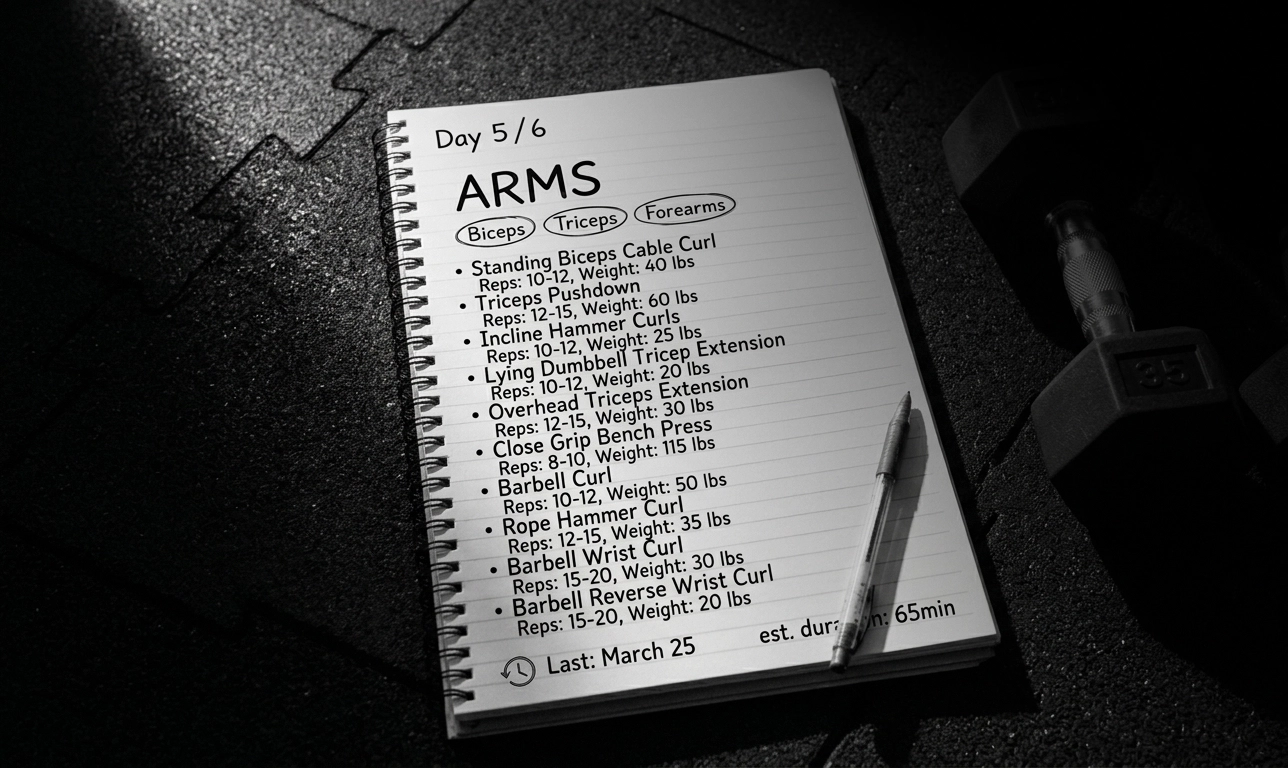 Four columns — exercise, weight, reps, RPE — cover almost everything a serious lifter needs to log.
Practical examples
Here are a few examples of what useful workout logging actually looks like.
Example 1: beginner upper-body movement
Lat Pulldown
Session 1:
- 45 kg x 10
- 45 kg x 9
- 45 kg x 8
Session 2:
- 45 kg x 10
- 45 kg x 10
- 45 kg x 8
That is useful progress. Nothing fancy happened. The log simply made the improvement visible.
Example 2: dumbbell press with a rep-building goal
Incline Dumbbell Press
Last session:
- 24 kg x 8
- 24 kg x 8
- 24 kg x 7
This session:
- 24 kg x 8
- 24 kg x 8
- 24 kg x 8
This is exactly why reps matter so much in a workout log. The weight stayed the same, but the session still moved forward.
Example 3: a session that stayed the same on paper
Leg Curl
Last session:
- 35 kg x 12
- 35 kg x 12
This session:
- 35 kg x 12
- 35 kg x 12
That is not automatically bad.
If the execution was cleaner, the setup was more consistent, or the rest period was better controlled, repeating the result can still be useful. The log helps you stay honest, not dramatic.
When to add more than sets, reps, and weight
You can absolutely expand the log later.
A few extras are often worth adding once the basic habit is stable:
- a short setup note for a machine or bench angle
- a planned rest target
- RPE or RIR for harder top sets
- a brief technique cue that you actually use
The important part is that each extra detail should earn its place.
If a piece of information does not help you repeat the exercise better, compare sessions more clearly, or make progression decisions more honestly, it probably does not belong in the core workflow.
That is also why many people eventually move from plain text notes to a more focused tool. A structured log can support those extra details without turning the workout into office work.
Common mistakes
The biggest mistakes usually come from either under-logging or over-logging.
1. Logging only the exercise name
If your log says “bench press” but nothing else, you still have to guess what happened.
2. Logging too much detail too early
A complicated system that gets abandoned is worse than a simple system that lasts.
3. Changing exercise names constantly
Inconsistent naming makes progress harder to read even when the training itself is fine.
4. Waiting until after the workout to write everything down
The longer you wait, the less reliable the record becomes.
5. Treating the log like a diary instead of a decision tool
Some notes are useful. But the main job of a workout log is to help you know what to do next.
Who this is for
This approach is especially useful for:
- beginners who want to stop guessing what to track
- lifters who feel overwhelmed by spreadsheets or overly detailed apps
- people moving from memory or random notes to a more repeatable system
- intermediate users who want cleaner workout history without extra noise
- anyone who wants a log that is simple enough to use during real gym sessions
If you want structure without clutter, this is probably the right starting point.
Conclusion
If you are wondering what to actually log in a workout, the minimalist answer is usually the right one: exercise, weight, reps, and work sets.
That small amount of information is enough to compare sessions, make better progression decisions, and reduce guesswork in the gym. You can always add more later, but you do not need more to start getting value from the habit.
If you want the broader beginner setup, read How to Start Tracking Your Workouts for the First Time. If you want to use that data for progression, continue with How to Track Progressive Overload Properly Without Using Spreadsheets and How to Know When to Increase Weight, Reps, or Both. And if you want a cleaner tool for logging sets and keeping your workout history visible, Steady’s Gym Log App, Progressive Overload App, and Distraction-Free Workout Tracker pages are the most relevant next steps.
Ready to start applying progressive overload?
Ditch the spreadsheets and complex notes. Join thousands of lifters who use Steady to focus on the workout, track their progress, and automatically know when to add weight.
Download Free for iPhone